Show your wallet app with data in it, months before it has any.
Developers, designers, startups and agencies working on a crypto wallet can fill in a home screen (name, avatar, accent colour, tokens), open it on a phone and use it in the places your own build cannot reach yet.
$19$29$39 per month · stop whenever you like · card payments go through Stripe
Where it does not fit
It draws a single thing: the home screen of a crypto wallet, in one design. That is handy before you launch, as the uses further down show, and it is the wrong tool for your store listing.
Not for these
- Your App Store listing, unless your build really displays this exact screen. Apple’s App Review Guidelines (2.3) want screenshots that give an accurate picture of the app’s core experience, so a listing has to describe what you ship.
- Exchange, swap or DeFi screens. It draws a wallet home screen and token pages, and whatever sits behind the tabs is fixed sample content.
- A layout of your own. It has one design, and your own screens belong in your design tool: see when drawing is the better route.
For the listing itself, capture your own build. The reference list further down holds for any app.
Access is personal (terms, section 4), and our terms are silent on business use. If a company or a client project is involved, write to contact@flexdger.com before anything else.
Where a composed screen gives a team time back
A populated screen before you have users.
A pitch, a concept test and a teaser all want a screen with data on it, yet data needs users and users arrive later. Made-up numbers do not solve that. Apple expects listing screenshots to match the app as shipped, so the listing uses your own build seeded with a demo account; until that build exists, a composed screen can carry the pitch.
The empty state and the full state, together.
Design reviews ask to see the wallet with nothing in it and with more than anyone expects. A real account shows one of the two, whichever it happens to be today. Composed screens give you both within an afternoon and at one resolution, so people compare layouts and not devices. The pair further down shows the idea.
Layout checks at values nobody has in real life.
Trouble hides at the extremes: a wallet name that runs into the avatar, a nine-digit balance that shoves the change badge off its card, a token with a silly number of decimals, twenty rows where the design planned for five. Real accounts will not take you there. Typing the value and looking will.
Pictures for help pages.
A help article outlasts its release and is read by strangers. A real balance inside it is a lasting leak, and the owner seldom notices. A composed screen teaches just as well and belongs to nobody. Write the steps around it, caption it as sample data, and the article stays correct through the next redesign.
Slides where the figure is only a guess.
A portfolio screen on an investor slide shows what the product looks like; it does not report anything held. One line says as much (“Illustrative UI, sample data”) and removes the single real danger, an audience taking an illustration for a claim. Since it is declared a mockup, it stays one, and the number can change in a minute when the guess does, which a screenshot of a live account would never permit.
What this is not. None of these five uses involves making anyone believe a balance is real. A composed screen is a mockup and never a proof. Once that stops being true, design is no longer the subject.
What a wallet team gets out of it
Filled in by a form, with sums that hold.
A row is quantity times price, the rows add up to the total, and the daily change comes out of them. The first check a numerate reviewer makes already passes.
Your name and your data on it.
You choose the wallet name, the handle, the avatar and the accent colour, and you can add custom tokens with an icon of your own and a typed price. Start by replacing the defaults: the ghost avatar and the search text point to a real wallet app, and third-party brands collide with App Review guideline 5.2.1 and with our terms. The layout follows that app’s home screen, so in a pitch, a teaser or a waitlist page call it illustrative UI and not the design of your app.
A real phone, at its native resolution.
It runs full screen on the device, so a screenshot is taken at the phone’s own resolution and carries the phone’s real status bar.
Using it, in order
Settle the demo data.
Write one invented dataset and reuse it on every screen. A way to write it.
Enter it in the wallet.
Type the dataset in. If you would like to see the wallet first, our homepage shows it in a phone frame.
Open it on a phone and take the capture.
Grab the screenshot for the pitch or the test, and call it illustrative wherever it travels. Wallet mockups composed in this way.
A wallet app mockup, drawn by the engine
One wallet, first empty and then filled from a single dataset, which is the pair a design review asks for. The third picture adds a custom token row with its own mark and a typed price.
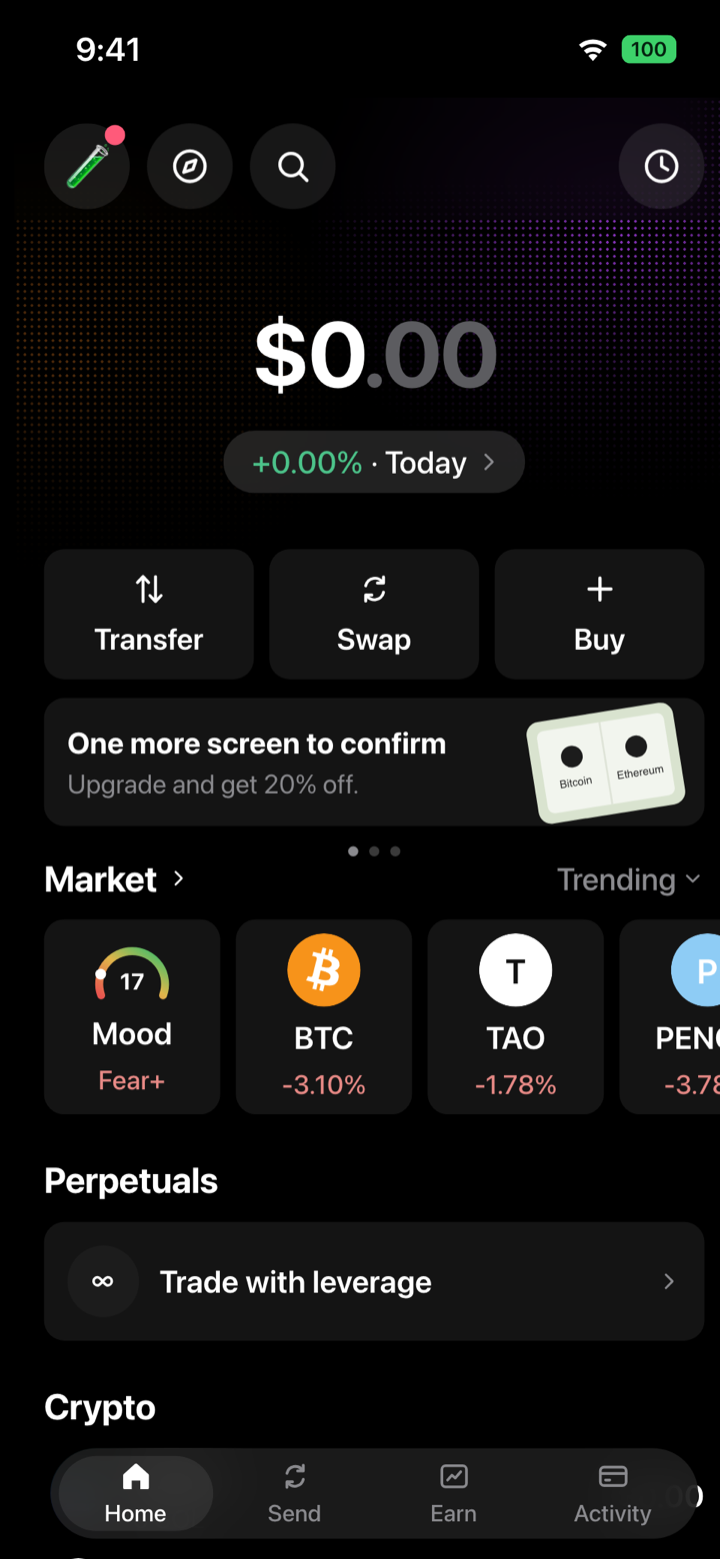
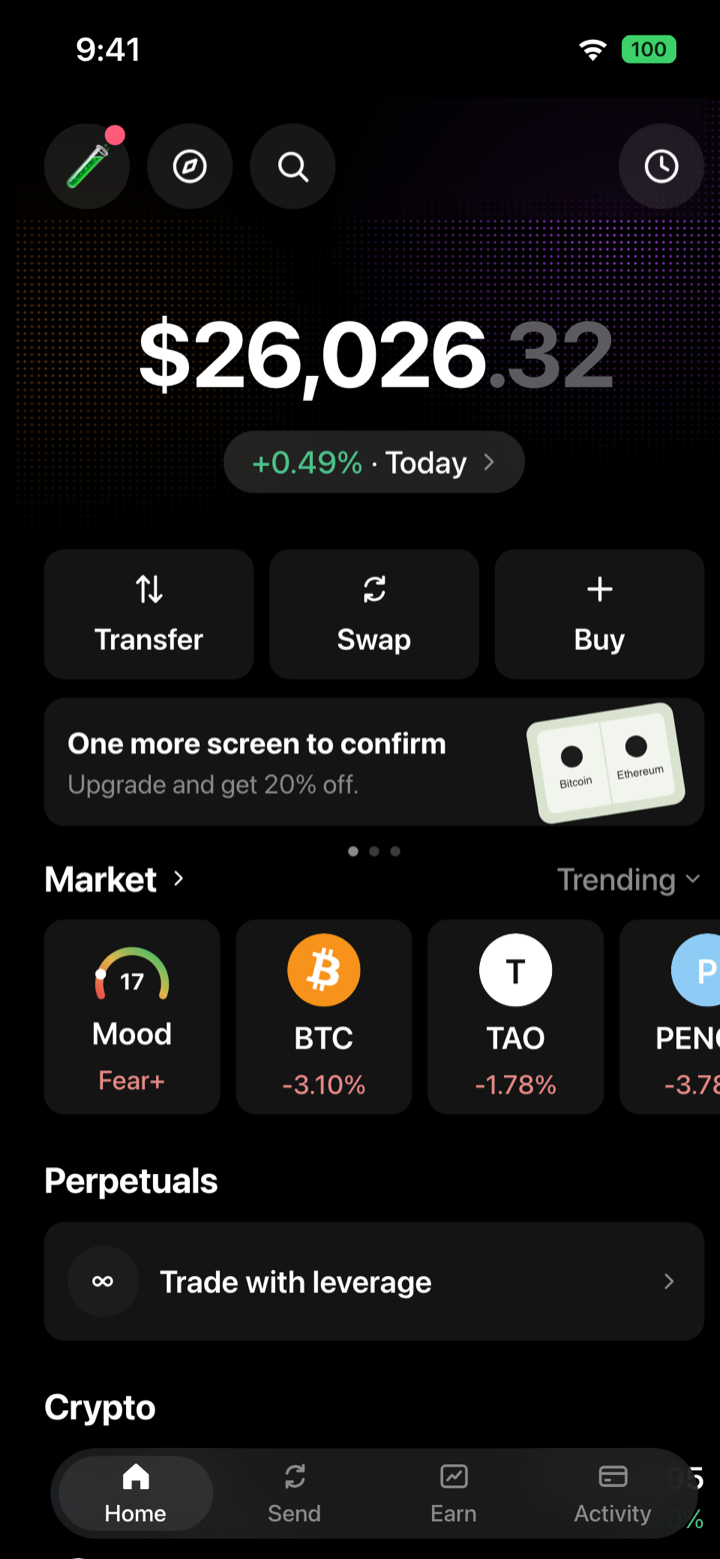
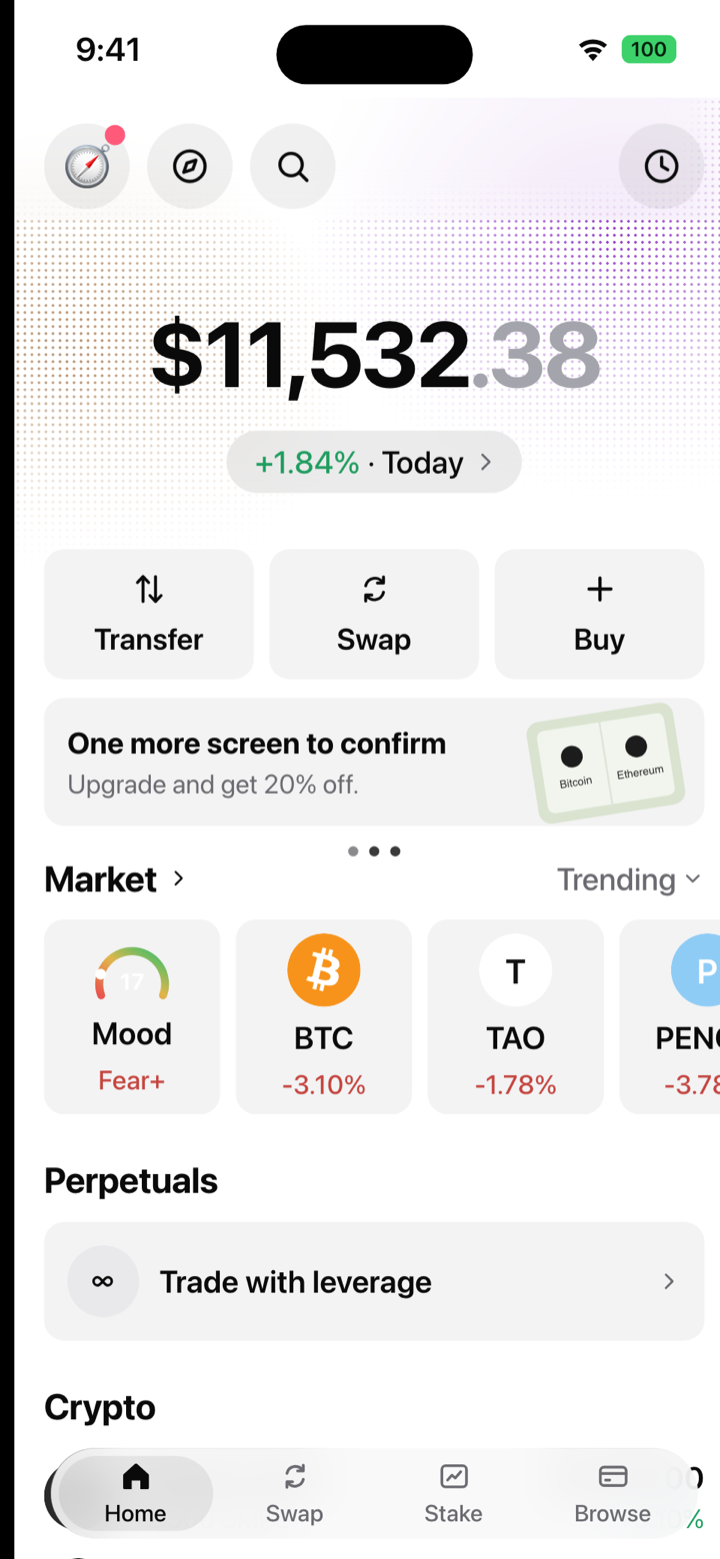
A mockup, not a wallet: composed in Flexdger Wallet. Nothing is held in it and it joins no chain. The clock, signal and battery in these pictures come from our renderer; on your phone the wallet gives that strip back to the real status bar.
Reading for building and pitching
- App screenshots before you have a single userBegin with one fixture, then seed an account, redraw the screen in a design tool or render a mockup.
- Screenshots for a crypto wallet listing, specificallyWhat a wallet listing must show, and the claims that get images turned down.
- Crypto wallet mockup examples: 40 for videos and decksWhat a mockup is, how it differs from a prototype or a UI kit, and 40 rendered screens to compare.
- Figma app mockup vs real screenshot: which one to useFidelity, cost of revision and drift, and when each one wins.
- A crypto wallet portfolio screen, taken apartMeasured layout: cards, radii, icon sizes and the hairline that lifts a card off the page.
- Crypto token icons: sizes, shapes and the traps32 to 40 pt in a list row, the alpha and shape traps, and the tokens a mockup draws.
- Fake data in a product demo: where the line isWhat everybody does, when it becomes misrepresentation, and how to label it.
- Crypto wallet emulator or simulator?One runs an app inside an imitated device, the other draws the interface.
Reference for any app’s listing
These pages hold for any app. We do not make these screenshots for you; they explain how to make your own.
- App Store screenshot sizes for iPhone
- iPhone status bar height and size, measured
- App Store screenshot guidelines: why screenshots get rejected
- “The dimensions of one or more screenshots are wrong”
- Why 9:41? What the status bar should say in App Store screenshots
- App preview videos: the specs
- iPhone screen sizes in points and pixels: the full table
There is more in the App Store screenshot articles, and the free screenshot size calculator lists every accepted size per device. For the product itself, see Flexdger Wallet, a crypto wallet simulator that runs in your browser.
Questions
What is a larp wallet?
A larp wallet, also called a crypto wallet app simulator, renders a wallet screen that looks genuine from numbers you enter yourself, for a video, a sketch, a pitch deck or a demo. Nothing is held in it and no chain is ever read. For a wallet app that has not launched, it gives you the home screen filled with believable balances before any user exists.
Is a composed screenshot acceptable in an App Store listing?
Only when the screen matches what your build displays. Apple wants screenshots to reflect the core experience of the app accurately. Reserve the composed screen for the pitch, the concept test and the teaser, and capture your own build for the listing.
Why not simply screenshot the real app?
A real account offers one state, whichever it is in that day, and it puts a real balance, address and history into the picture, which then lives on in help pages and decks. A composed screen offers the empty and the full state within an afternoon, at the extremes you want to test, and holds nobody’s data. The listing, again, should show your build.
Can it draw the other screens of my app?
No. It draws a wallet home screen and token pages in a single fixed design, and the screens behind the tabs carry fixed sample content. Onboarding, swap flows or a layout of your own are work for your design tool.
Can my team or my client use it?
Access is personal (terms, section 4). Shared credentials get the access revoked, and each person who composes needs an account of their own. Our terms are silent on business use, so write to contact@flexdger.com before you depend on it for a company or a client project.
Does it connect to a testnet or to a real wallet?
No. It reads no chain and never asks for a key. If your demo has to show a real signature, use a testnet wallet.
Give your wallet app some data today.
Compose the screen your build cannot display yet, and call it illustrative wherever it goes.
Resume my walletGet my walletOpen my wallet$19$29$39 per month, or $97$147$197 one time for life
Stop whenever you like · card payments go through Stripe
Flexdger Wallet builds interface mockups. It is not a wallet: nothing is held in it and no chain is ever read. Every quantity shown was typed by hand, and the only real numbers are the market prices of the five built-in tokens. Using a screen as proof of funds, as a statement, or to get money out of someone breaks our terms.
More uses: Creators · Demos, decks and classes